
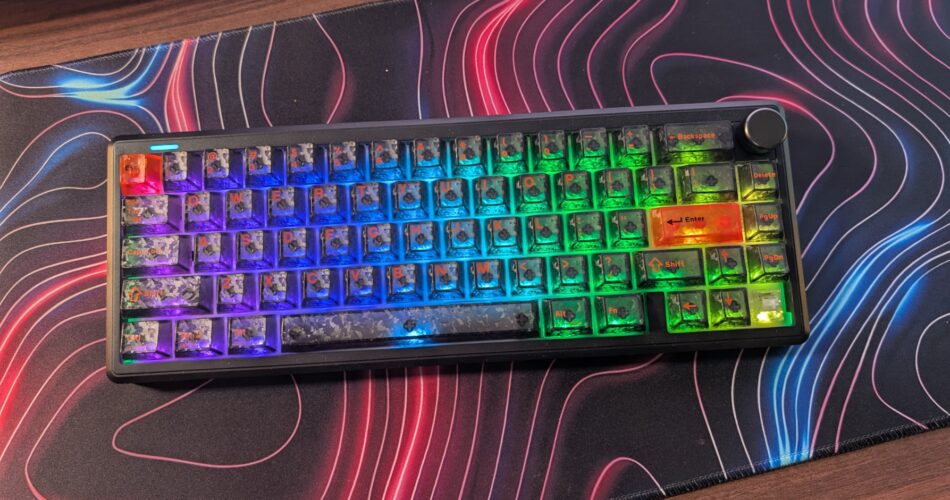
Okay, so right off the bat, I want to say I was not a fan of this keyboard when testing it. And it’s such a shame because everything I’ve seen from EPOMAKER so far has been such a killer product. Of course I’m realistic. Manufacturers can’t make bangers every single time, just like music artists can’t make hit song after hit song. So this is the EPOMAKER TH65 in its black colourway. And that’s a very important detail here because this is where this keyboard just doesn’t work. Hear me out.
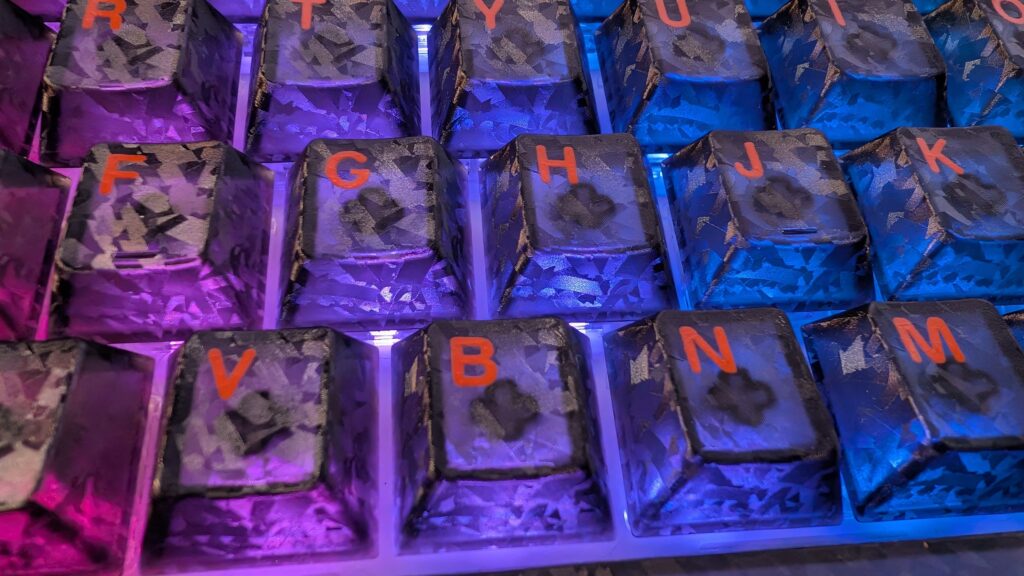
From what I can see on the EPOMAKER website, there are three versions of this keyboard. A white one, a black one and a pink one. The black one I have here has south-facing RGB, which in itself I prefer; however, the keycaps that EPOMAKER are using on this colourway are absolutely horrific, and I can’t see that the same keycaps are being used on the other colours.
They’re semi-translucent; is that fair to say? So a lot of light is being let through the keycaps. If you want completely bright light shining in your eyeballs, you’ll be fine, but it is bright and in a dimly lit room, it gets a bit much. Secondly, the camo mosaic pattern of the keycaps themselves, mixed with the orange legends, makes these keys extremely hard to read. And I must admit, when talking with the EPOMAKER rep about sending out a keyboard, I did request shine-through keycaps, but this feels like it’s too far in the wrong direction. I can touch type, and I don’t really need to look at my keyboard when playing games I know, I mean I wrote this script without really looking down at the keyboard, but in gaming, when I may need a quick glance at a particular key to press, or looking at number keys, or even combination keys in certain games, it would be nice to actually be able to read the legends themselves. White text here would be greatly beneficial rather than the orange which blends in. It’s a style choice for sure, but it’s one that I don’t think has paid off to well. But let me know below what you think. They’re cherry profile so you can swap them out though if you wish later on down the line.
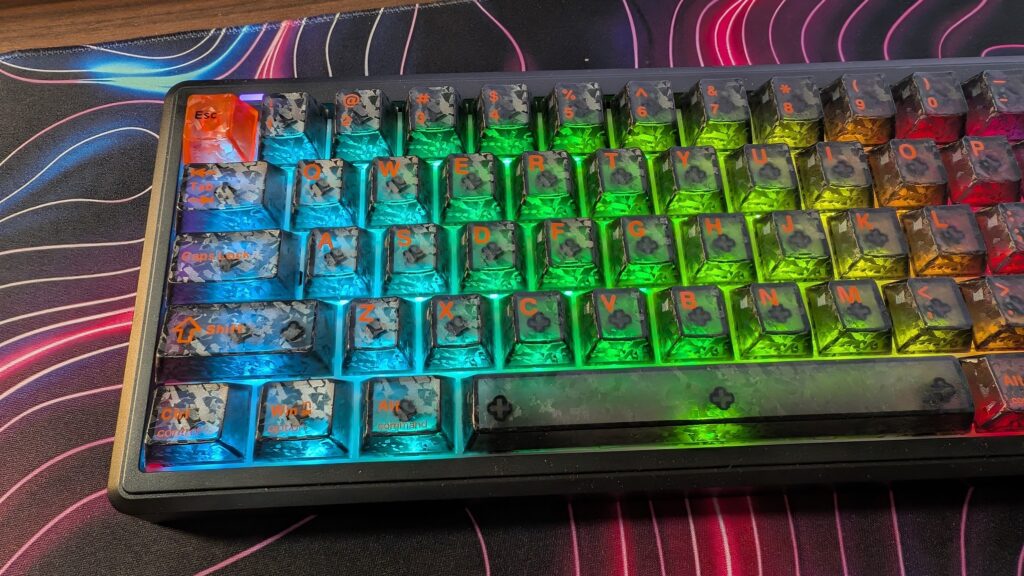
The TH65 uses a 65% layout, though you do still have your essential keys including an arrow cluster in the bottom right, and your delete, page up and down keys. You also have a handy volume wheel in the top right which is super useful for muting and adjusting your volume on the fly. It takes up such a small amount of room on a desk which is nice if you’re like me and your mouse uses a small DPI. It’s a relatively compact keyboard, weighing roughly 700 grams so moving it around to find a comfortable position to game in requires very little effort.
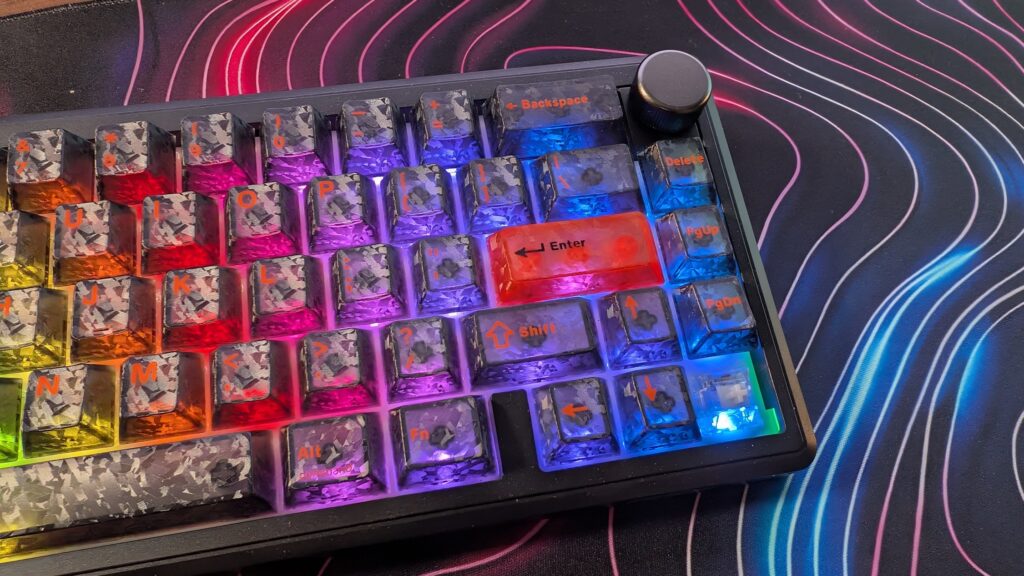
The TH65 uses a gasket-mounted design which is intended to provide a softer typing experience, and I must say with the way these keys sound, it’s a far cry from the thocky experience you can come to expect from mechanical keyboards. Probably quite nice for an office or similar, but not really my cup of tea with mechanical keyboards. There’s five layers of sound dampening too, using foam and different other materials. The idea is to reduce vibrations to create a more controlled sound, but for me it just a falls a bit flat. The keys are also a little spongy, and they definitely do not feel smooth to the press every single time.
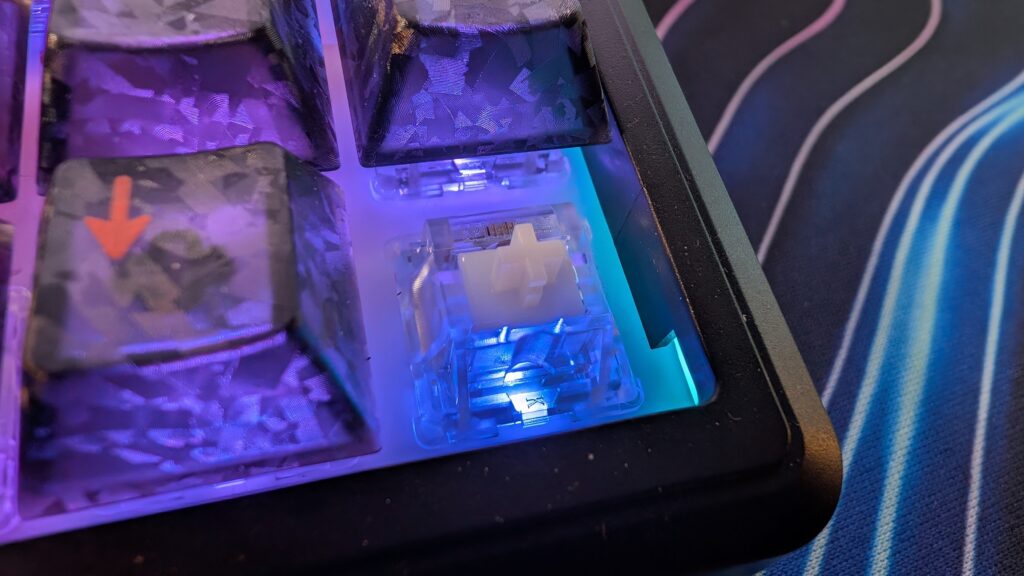
You’ve got a couple of options for switches on the EPOMAKER website, and I’ve got some crystal tactile switches in mine which are said to provide and more noticable bump when pressing a key down which I must say on this keyboard here is pretty true. There’s a noticable bottoming out when typing on the keyboard. They are hotswappable too so if you wanted to change your switch to somethign else you absolutely can.
When it comes to connectivity you’ve got your usual USB Type C wired connection, a 2.4GHz wireless connection that uses a small USB dongle, and finally Bluetooth which being honest I never used as 2.4GHz connection is far superior for gaming. It does though mean you’re pretty free on how you’d like to use this keyboard though, and the battery life is decent as there’s am 8,000mAh battery inside which will last FOREVER. I’ve not charged it yet and I’ve used it in the evening time for the past few weeks for gaming and typing. Connections can be toggled on the back as well as keyboard layout between Windows and Mac. When connected wirelessly, or via USB, its polling rate sits at 1,000Hz which is fairly standard for keyboards, and there’s features for gaming such as anti-ghosting so multiple keypresses are registered correctly.
As I said at the start, manufacturers sometimes get it wrong, and I feel like this is one of EPOMAKER’s mistakes. They’ve tried to be a little brave with the black colourway, and the keycaps just do not work at all. To be honest, if I didn’t have other keyboards to review, I’d probably go back to the last EPOMAKER keyboard I tried as I do really like them as a brand. And while this one is a nice 65% size and it has south-facing RGB which I like and a massive battery, it just doesn’t live up to the usual quality of EPOMAKER and the keycaps are just way too hard to read for me to read which puts me off.
