
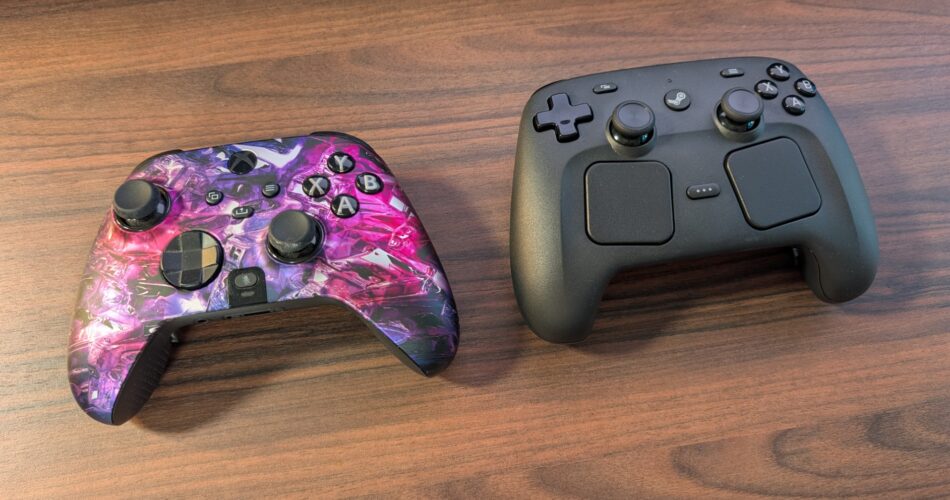
So… Valve has finally made another controller, after its almost forgettable first attempt. And yes, I know there was a small dedicated crowd of fans out there for the original Steam controller, but it’s just not something I ever really felt comfortable using, and for the past few years of using my SCUF Instinct Xbox controller as my go-to pad for racing games, platformers, and pretty much anything that doesn’t need a mouse and keyboard… I genuinely didn’t think anything would replace it. But I’ve just got my hands on a new 2026 Steam controller, and I must say, I’m really beginning to like it. It looks a bit odd, though it’s massively customisable, packed with features I didn’t even know I wanted… and honestly, after using it for a short period of time, I can kind of see the vision that Steam are going for, especially as I’m very used to playing a Steam Deck too. The question is though: does all of that actually make it better than my SCUF or is this just another experimental gadget from Valve? Let’s talk about.
Now look, before we dive too much into this, I wanted to just say that I am incredibly fond of the Xbox controller shape. I think it’s definitely the most comfortable controller out there. And really, over the new Steam controller, I think it edges out in front in terms of how it feels in the hand, but really only just because the thumbstick placement on the new Steam controller is actually very nice and it’s much lighter than the Scuf thanks to the built-in battery. The Scuf needs two double-A batteries, which adds to the overall weight. But hold that thought. We’ll revisit battery life in a moment.
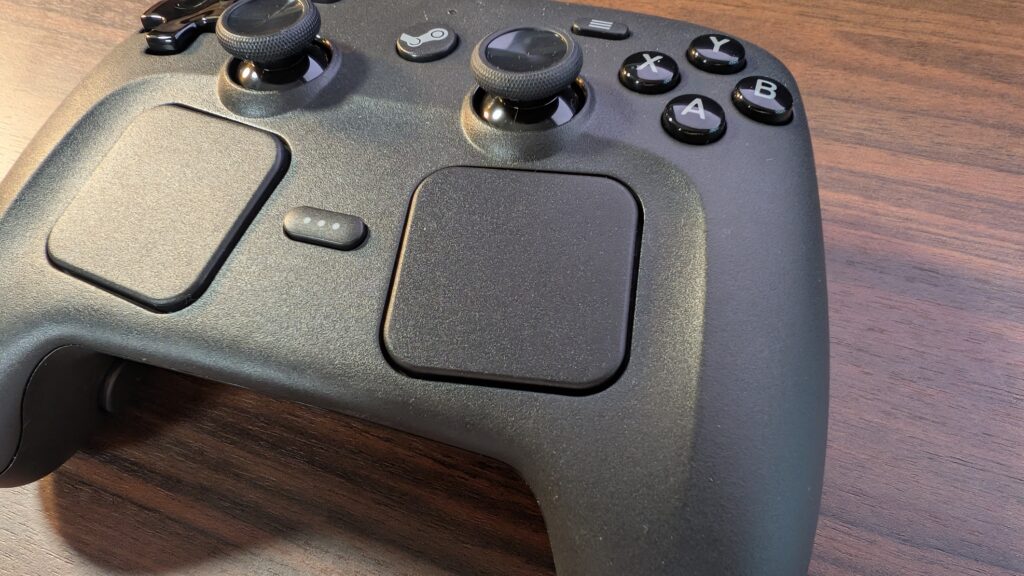
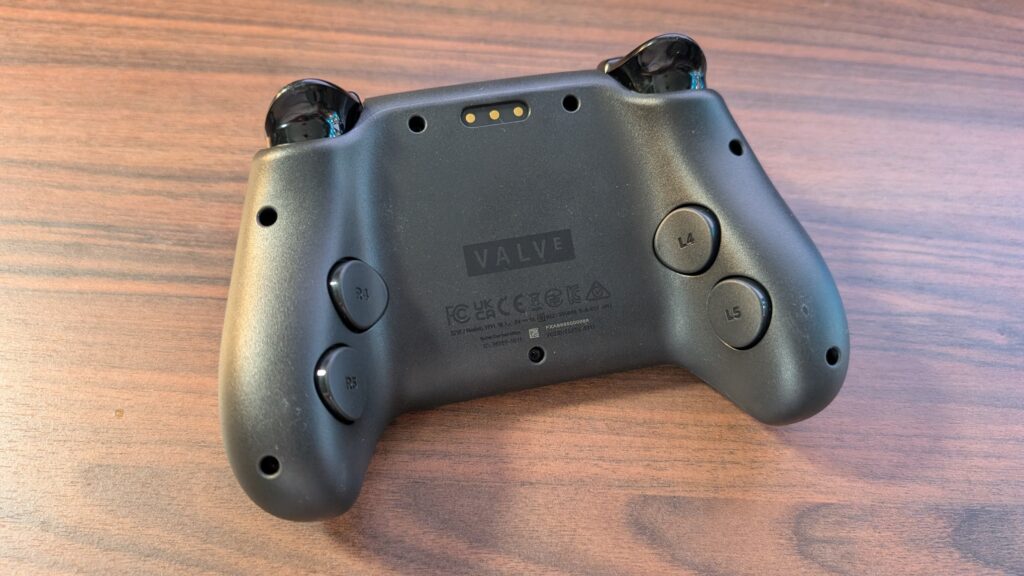
One thing that I do absolutely love about the Scuf Instinct though are the adjustable mouse button triggers, and if the Steam controller had them, then it would be a game-changer. But don’t write the Steam controller off yet, because there are some absolutely wicked features that enable a wider variety of games to be played, and first up, I wanted to talk about the two thumbpads on each side of the controller. As you’ve probably noticed, the Steam controller is basically a condensed Steam Deck without the screen. And they enable you to play games like Anno without the need for a mouse.
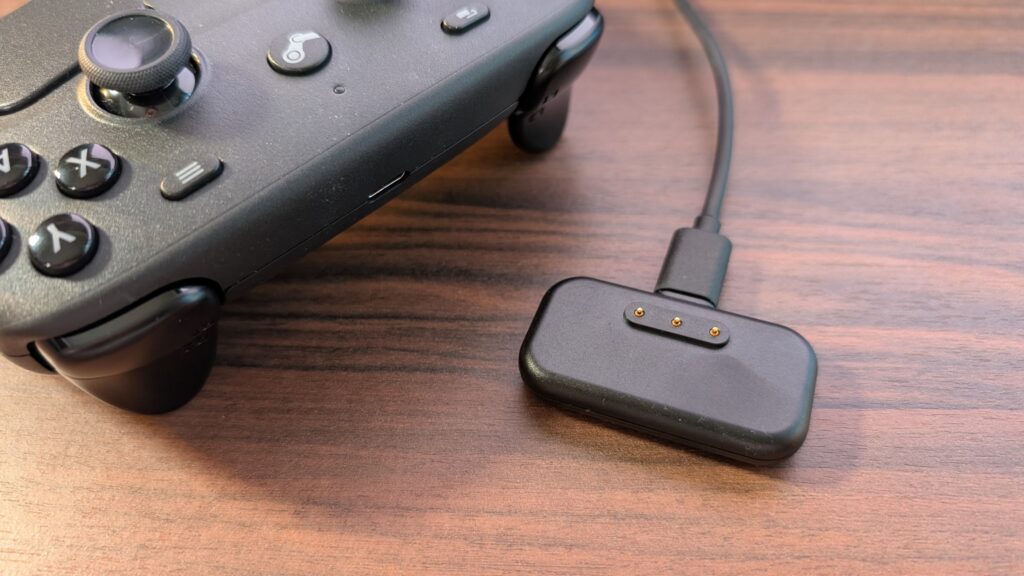
But I also think this means that the Steam controller is more ideal for a relaxed, on the sofa in front of the TV type gaming session rather than being locked in at a desk, as long as you have a gaming PC setup in the lounge. And this now seems like a good time to speak about the battery life because, between the two here, the Steam controller wins hands down. It’s got a built-in battery that can last up to 40 hours, while the Scuf, as mentioned, relies on double-A batteries. This means that the Steam controller needs charging, and this is where the Puck comes in, which is a small magnetic pad that connects to your PC with a USB Type-C cable, sticks to the rear of the controller, and also acts as a 2.4GHz receiver. I mean, both controllers come with Bluetooth, but as the Steam controller offers 2.4GHz at a 4ms polling rate, I’d rather that over an 8ms polling rate of Bluetooth.
Another big feature on the Steam controller is its gyro capabilities, and something called Grip Sense, which means gyro movement is activated when you grip the handles, as both handles have capacitive sensors inside them. I’ve not really used it a massive amount to really say I rely on it now for my gaming, though I must say it made a game of Doom: The Dark Ages, Helldivers 2 and Overwatch way more immersive. Making those small pinpoint movements while aiming in FPS games makes a real difference. I’m nowhere near an expert at games, especially FPS titles with a controller, and I found this helped me a great deal when it came to accurate aiming.
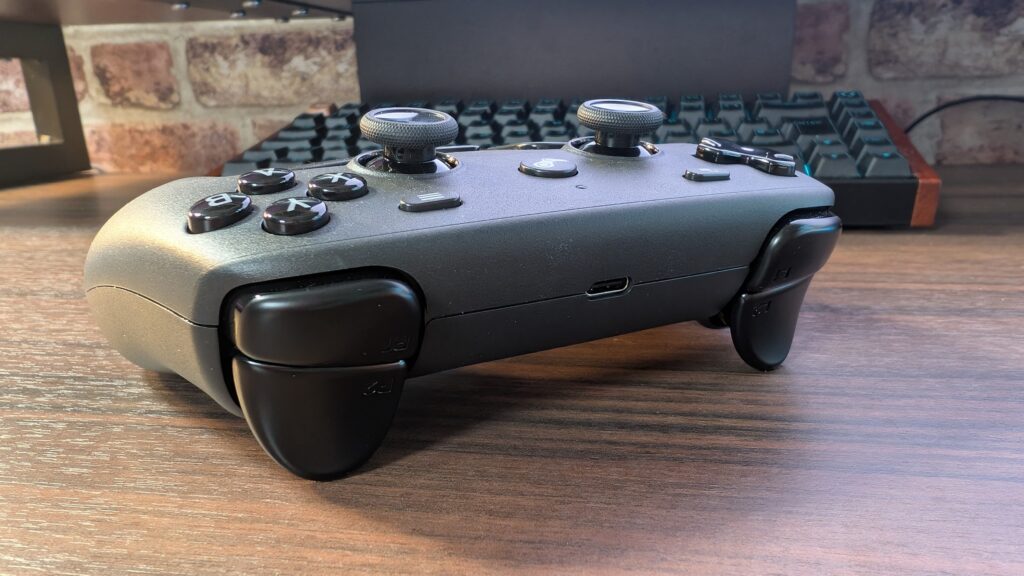
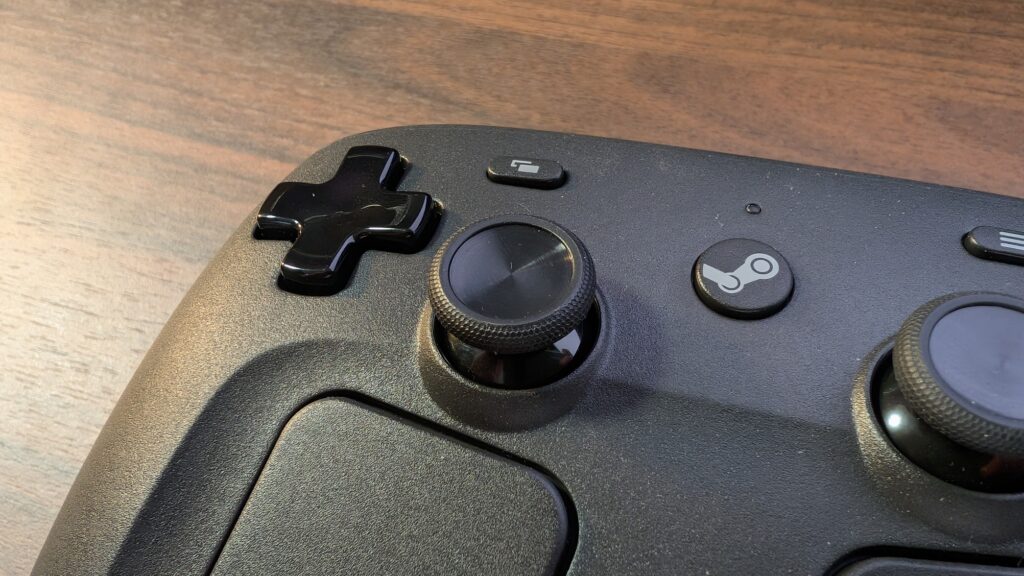
Paired with the magnetic thumbsticks, the Steam controller is a major powerhouse of a pad that can be comfortably used across the range of games. Well, to a novice like me, a thumbstick is a thumbstick is a thumbstick. But these use TMR thumbsticks, which help with responsiveness as well as keeping stick drift to an absolute minimum, or so I was told by one user in my Shorts comments section. But that feature only time will tell, I suppose, but my Scuf hasn’t had any stick drift either. The Steam controller’s thumbsticks also have capacitive capabilities, which work well after I downloaded a preset layout template from Valve to activate the Overwatch gyro capability.
This brings me to Steam Input, which enables templates and button layout configurations to be downloaded from Valve itself or from the community, who can make their own layouts for everyone to use. However, if you were to get into your own customising through Steam Input, the learning curve is pretty steep. Whereas the Scuf Xbox controller, it feels more like a plug-and-play experience. Well, both controllers offer that, but Steam Input means you can customise literally EVERYTHING on the Steam controller. So even things like radial weapon wheels inside of games could be mapped to a touchpad for example. It’s really intuitive, and no, I haven’t dived into customising anything really myself outside of a couple of buttons here and there. And I’m unsure I’ve really needed to either as there are loads of you absolute wizards out there that have spent time coming up with great templates already, so I applaud all of you for that. Having Steam installed on the PC also allows you to navigate Windows using the Steam controller, and use an onboard keyboard and the touchpads as a mouse and all that good stuff. So there’s really no need to have a mouse and keyboard within your gaming PC setup in the living room, if you’ve got one of those.
There are some hiccups, too, and one I did notice is that the UI of a game of Overwatch was going mental, flicking between controller and keyboard buttons. And upon a bit of investigation, I realised this was happening while using Gyro, as the template layout was assuming I was using a mouse, as that’s what was mapped to the gyro functionality. I mean, Overwatch was still massively playable, but it was frustrating having all that movement going on in my peripherals.
And that’s also what I’m finding when selecting some presets. The Steam controller is brand new right, so inside of the Steam Input, I’m currently having to choose Steam Deck templates, opting for a Dual Shock template, so the gyro feature is somewhat setup properly, or just using the Gyro steam controller preset, which basically always maps gyro to the right stick which isn’t always the best use for it. Like in Helldivers 2, I much prefer my gyro to be activated when I squeeze the left trigger to aim down sights, It makes more sense this way, but that also means I’ve got to dive into the settings somewhat to get right. Which isn’t a bad thing, I suppose, but compared to my Scuf Xbox pad, it’s definitely a learning curve and a bit of trial and error to get your Steam controller setup just right for you.
And I think a big factor here, especially for the two controllers I’ve got here is price. The Steam controller, when it’s available again, will cost £85, while my Scuf controller, which admittedly isn’t available anymore as it’s now that old, the new model, the Valor, starts at £179. For this though, you’re gaining polling rate, which I suppose, if you value that, could be a good thing. But you’re losing the touchpads, and you’re losing gyro capability but your mileage may vary on that. Granted, the Steam controller feels a bit more plasticy when it comes to a direct comparison with my Scuf controller, but it still feels like it’s well built anyway. There is also the GameSir controller which comes in at around the £100 mark, which is closer to the Steam controller cost, with a huge polling rate and gyro capability. But saying this, the Steam controller is certainly going to be staying on my system for the foreseeable. Not that I play a huge amount of games using a controller anyway, though now might be the time to start.
